
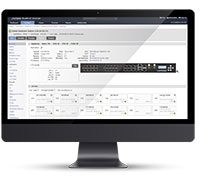










xPrintServer Office Edition For iOS Printing At The Office
The BYOD (‘bring your own device”) phenomenon has created havoc for IT managers. Rest easy with the xPrintServer mobile print solution. Ongoing support and management of users, devices, and printing solutions is effortless with the new professional-grade features and functionality.
Designed for the demands of fast-paced business
- Easy to use / automatic discovery and set up of printers
- Supports unlimited iOS devices and multiple network, wireless and USB printers.*
- Supports more than 4,000 top brand office printers
- USB printer(s) can be shared over your network*
- Print directly from the iOS native menu (no apps required)
- Printer User Management / Advanced User Configuration
- Remote Authentication / Active Directory
- Configuration Save / Restore
- Proxy Server Support
xPrintServer Office Edition - What's New?
The Office Edition is the next generation of the award winning Network Edition
| Key Features | xPrintServer Network |
xPrintServer Office |
|---|---|---|
| USB Printers Supported | (Up-to 8†) |
|
| Network Printers Supported (Including wireless printers) |
(Unlimited‡) |
(Unlimited‡) |
| USB Printer Sharing Over Network (for Mac & PCs) |
||
| 10/100 Ethernet | ||
| Printer User Management | ||
| Offline Loading of Drivers | |
|
| Proxy Server/Port | ||
| Firmware/Driver Loading via USB Port | ||
| Configuration Save/Restore | ||
| Remote Authentication Active Directory | ||
| †USB Hub Required - not included. ‡Up-to 10 recommended for optimal performance. *** Firmware release update pending. |
||
Set-Up is Automatic & Quick!
No software or apps to download and manage. No need to buy new printers. Simply open the box, plug in your xPrintServer anywhere on your network (LAN) via an Ethernet cable. Within seconds, the xPrintServer will auto-discover the printers on your network for iOS devices in your office to print to!

* Each xPrintServer supports unlimited iOS devices, multiple network printers (up-to 10 printers recommended) and up-to 8 USB printers (USB hub required to connect more than 1 USB printer).
Not sure which xPrintServer you need?
Compare
Resources
- Product Brief (PDF Download)
- Product Brief (A4) (PDF Download)
- Quick Start Guide (PDF Download)
- User Guide (PDF Download)
- List of Compatible Printers
xPrintServer Is Compatible with Leading Printer Brands
The xPrintServer is compatible with thousands of printer models from leading printer manufacturers. View List of Compatible Printers
| Part Number | Description |
| XPS1002FC-01-S | xPrintServer - Office Edition USB port, 100-240VAC International power supply with regional adapters, RoHS |
Shipping Nov. 21, 2012
in
U.S., Canada, Mexico & Europe
Need to buy from other regions?
Need to print from iOS? Look no further! " - InfoWorld
You’re going to love this product! " - TUAW
News & Reviews!
- xPrintServer - 13 Best Back to School Gadgets
- MobileTrax: xPrintServer Makes it Insanely Easy to Print!
- Ars Technica reviews xPrintServer - "Dead simple for home use!"
- “IDC Features Lantronix in New Research Paper: Mobile Printing Landscape 2012”
- iPhoneLife: “This is a brilliant piece of technology”
- NYTimes: “Seldom do plug-and-play devices live up to the name. The xPrintServer from Lantronix may be the exception”
- More...
© 2013 Lantronix and xPrintServer are trademarks or registered trademarks of Lantronix, Inc. in the U.S. and other countries. iPad, iPhone, iPod, iPod classic, iPod nano, and iPod touch are trademarks of Apple, Inc., registered in the U.S. and other countries. All other trademarks and trade names are the property of their respective holders. Specifications subject to change without notice. All rights reserved.