












Remembering the Events of September 2001
Plymouth, MN; September 11, 2026 – As the United States pauses today to remember the lives lost on September 1…

Built for how enterprise networks work today.
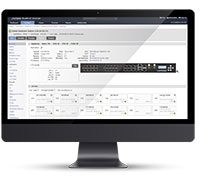
Lantronix Centralized Management Software
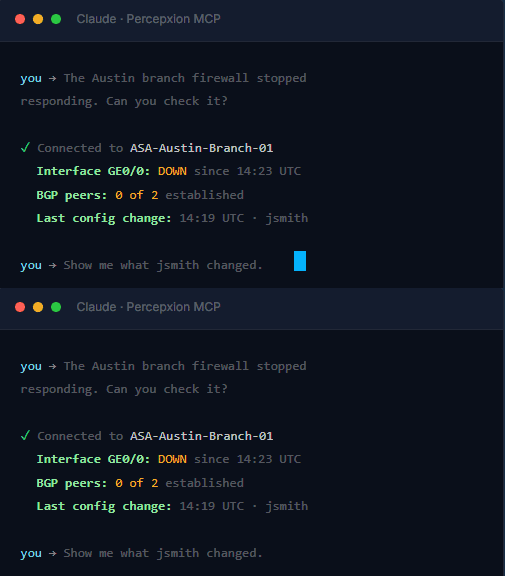 Percepxion with MCP gives your entire team natural language access to any device in your infrastructure, without learning a new tool, navigating a portal, or knowing anything about how out-of-band access works.
| GitHub Repository | Talk to an Expert |
0New tools to learn for most users |
AnyDevice in your network accessible by name |
1Admin setup. Whole team benefits. |
100%Open source – MIT license; GitHub: Lantronix |
T H E I D E A
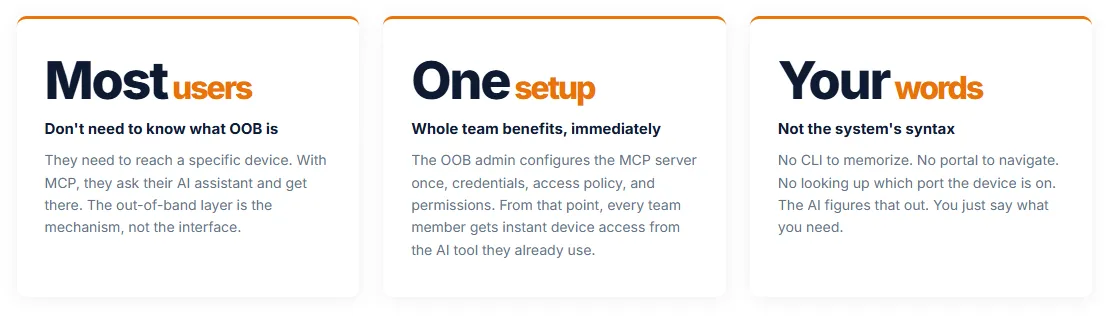
 Your Team Shouldn’t Have to Know How OOB Works to Use It
Out-of-band access has always demanded more from users than it should. Learn the portal. Find the device. Know which port it’s on. Memorize the CLI. That overhead slows down every engineer who isn’t the OOB specialist, and in an incident, every minute counts.
Percepxion with MCP removes that friction. Your team connects the AI assistant they already use, Claude, Copilot, or any MCP-compatible client, and from that point on, getting into a device or pulling information about it is just asking for it. The OOB layer is there. It works. They don’t have to think about it.
“Set it up once. Now everyone on the team can reach any device, in their own words.”
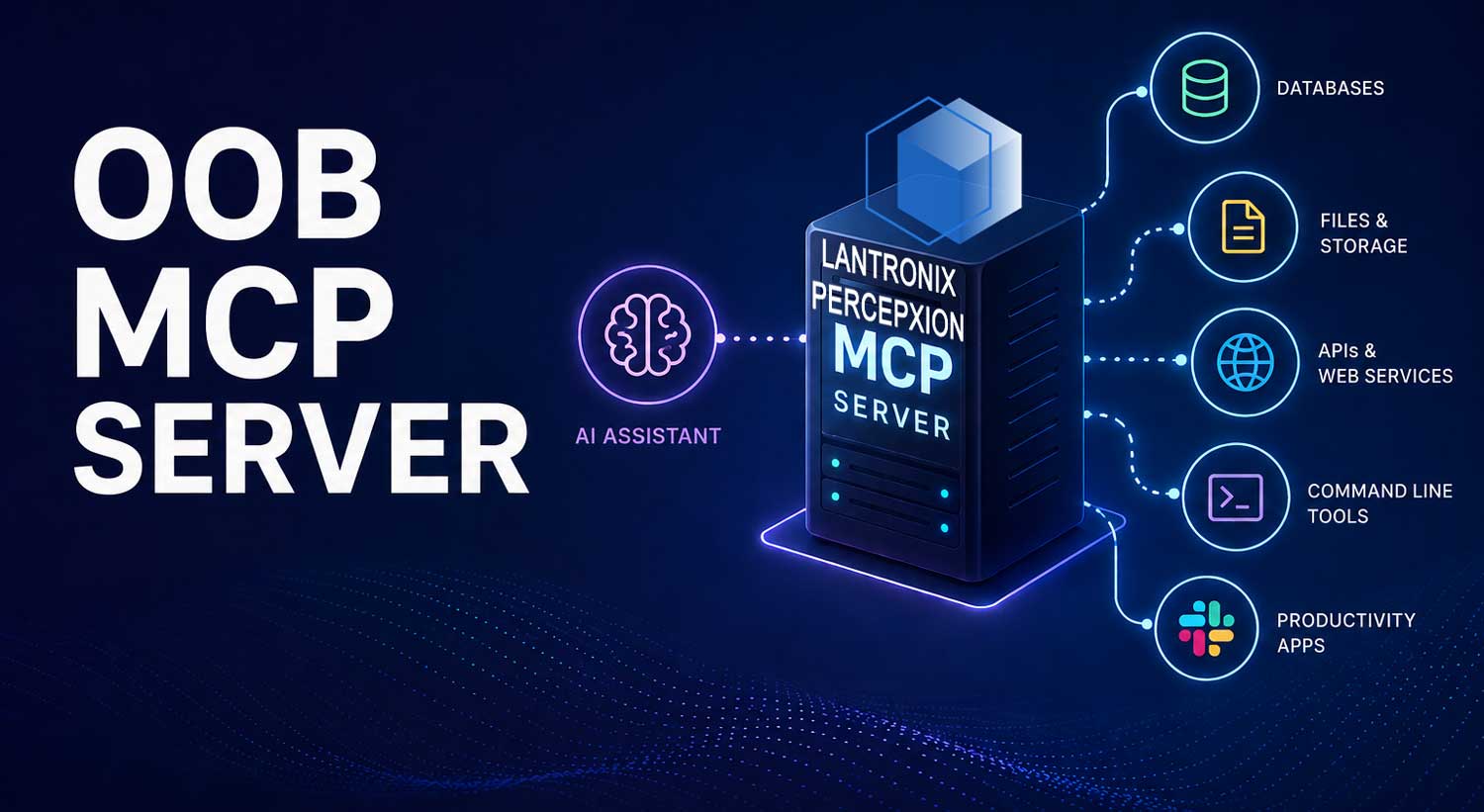
The Percepxion MCP Server is Lantronix’s open-source implementation of the Model Context Protocol, the emerging industry standard for connecting AI assistants to real-world systems.
H O W I T W O R K S
The MCP server runs as a local process alongside your AI client. When the AI needs device data or wants to trigger an operation, it calls a named tool on the MCP server, which validates the request, translates it into a Percepxion API call, and returns the result.
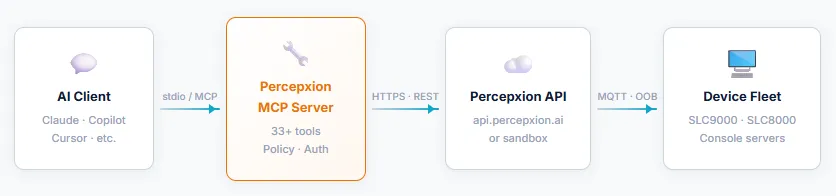
The MCP server enforces read-only mode by default, write commands require an explicit environment flag. All CLI commands dispatched to devices are logged to stderr with device ID and command string for audit purposes. Your credentials never touch the AI client.
T H E P R O B L E M I T S O L V E S
When a device needs attention, the wrong question is “who knows how to navigate the OOB portal?” Every engineer, every NOC analyst, every operations team member should be able to get in, or get answers, without a training course and without a specialist on the phone.
H O W P E O P L E U S E I T
Connect to any device, instantly |
Get answers without navigating anything |
Anyone on the team can help |
| Any engineer can reach any device in your network, by name, by location, by what it does. No portal. No jump host. No asking someone which port it’s connected to. Just ask and get connected. | Someone asks what happened on a device. The answer is in a log, an audit trail, or a job record, but finding it requires knowing the system. Now they just ask, and the AI finds it. | Incidents don’t wait for the one engineer who knows the OOB system. With MCP, every team member, NOC analyst, ops engineer, help desk, can take meaningful action on a device without specialized training. |
Example prompt "Get me into the Chicago datacenter core switch. I need to check the routing table."
|
Example prompt "The Austin branch firewall went unreachable during last night's maintenance. What changed and when did it drop off?" |
Example prompt "The lab server in rack 3 is unresponsive. Can you reboot it? I don't have direct access."
|
F O R T H E W H O L E T E A M
 They Ask About a Device. They Get an Answer. They Never Touch the OOB System.
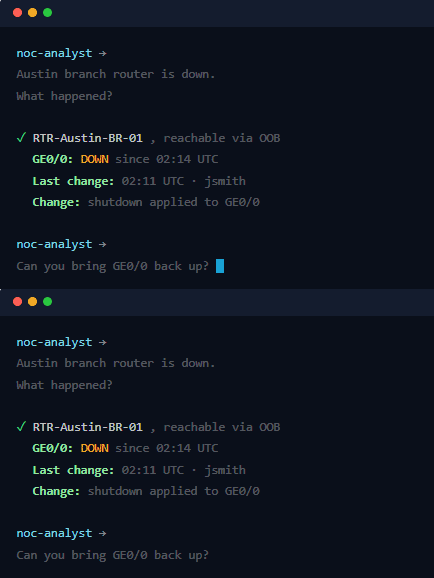
A NOC analyst gets an alert. A router at a branch site is unreachable. In the old model, they’d escalate to whoever knows the out-of-band system, find the device in the portal, connect to its console, figure out what’s wrong. That takes time nobody has during an incident.
With Percepxion MCP, they open their AI assistant and ask. The AI connects through the OOB layer, pulls the audit log, checks the interface status, and tells them what changed, in plain English, in seconds. The OOB infrastructure did its job. They never had to know it was there.
F O R T H E O O B A D M I N
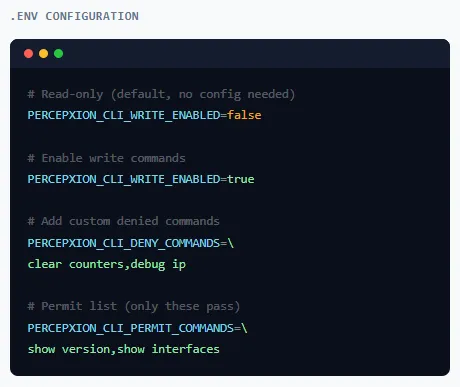 You Control What Happens. Your Team Gets the Access They Need.
The abstraction doesn’t mean loss of control. The OOB admin configures the MCP server once, setting access policy, defining which operations require write permissions, blocking destructive commands, and connecting credential storage to the team’s existing secret manager.
From that point, every team member benefits. And every action they take through the AI is logged, auditable, and bounded by the policy you set.
C R E D E N T I A L P R O V I D E R S
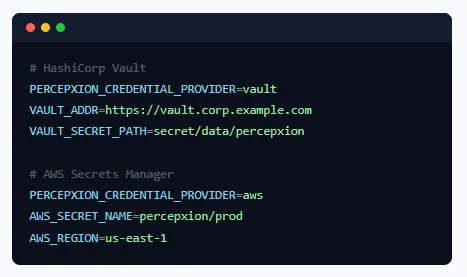 Your Team’s Secret Store. Not a Plaintext File.
For individual use, credentials in a local .env file are fine. For shared deployments or CI pipelines, the MCP server supports HashiCorp Vault and AWS Secrets Manager as credential backends, no credentials on disk, no rotation coordination.
Switch providers at runtime with reconfigure_credentials without restarting the server. The active provider is tracked separately from the startup config.
env(default),vault,awsT O O L R E F E R E N C E
Every tool maps to a named Percepxion API endpoint. Your AI sees the tool description and calls it by name, you see the result.
| Device Inventory & Lifecycle | Configuration & Firmware | Logs, Jobs & Security |
|
|
|
G E T S T A R T E D
Works with Claude Desktop, Claude Code, GitHub Copilot, or any MCP-compatible client on macOS, Linux, or Windows with WSL.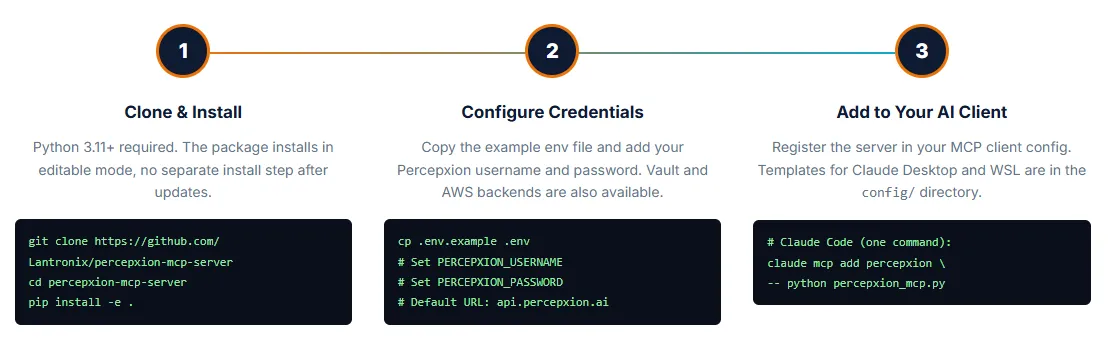
F A Q
|
Any client that supports the Model Context Protocol spec. This includes Claude Desktop, Claude Code (the CLI), GitHub Copilot in VS Code, Cursor, Cline, and others. The MCP spec is an open standard, as adoption grows, the server works with new clients without modification. |
|
Yes. The MCP server connects to the Percepxion REST API, which requires an active Percepxion account. For Lantronix customers with SLC 9000 console servers, Percepxion is the management platform, this MCP server is the AI interface on top of it. Contact your Lantronix representative for Percepxion access. |
|
The server is designed to be safe to start with and locked down by default. CLI commands are read-only unless you explicitly enable write mode. Destructive operations, reload, factory-reset, write erase, are blocked by a deny list even when write mode is on. Every CLI command is logged. Percepxion’s own role-based access controls apply on top: the AI can only do what your Percepxion account is allowed to do. For production environments, use a dedicated service account with minimum necessary permissions. |
|
Credentials are read by the MCP server process, not by the AI client. The server exchanges username/password for a session token at startup and holds that token in memory. The AI client never receives or sees credentials. Tokens are never written to disk. On a 401 response, the session clears automatically. |
|
Any device managed through Percepxion. This includes SLC 9000 series console servers (the primary platform), SLC 8000 series, and any other Lantronix hardware visible in your Percepxion tenant. The SLC 9000 running firmware 9.7.0+ has the fullest API coverage including AOOB automation capabilities. |
|
Yes. The repository is open source under the MIT license at github.com/Lantronix/percepxion-mcp-server. The |
Plymouth, MN; September 11, 2026 – As the United States pauses today to remember the lives lost on September 1…
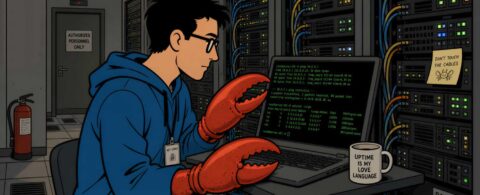
Percepxion and SLC 9000 Join the NetClaw Community Network admins are actively exploring AI that targets their…
Built for how enterprise networks work today.
Lantronix Centralized Management Software