












Spotter: Small Board. Big Mission.
By Eric Johnson | Director, Compute Ecosystem, Lantronix Why Combining Flight Control and AI Computing Changes…

Built for how enterprise networks work today.
Lantronix Centralized Management Software

By Guido Voigt
Keeping your network safe and protected from cyberattacks is crucial, and a thorough network assessment is essential to eliminate any security vulnerabilities. However, this assessment is not only for preventing security issues. A full network analysis also reveals your system’s efficiency and its overall effect on your bottom line. In fact, a strong network not only supports your company, it is your company, which makes network management particularly critical to your business. As reliability or efficiency issues are discovered, it is important to address the concerns effectively and completely.
This blog explains how to debug reliability or stability issues you may have on your Wi-Fi network as well as measure the roaming behavior of the clients in a multi-AP Wi-Fi Network.
With its long history in the deployment of networking products, Lantronix equipment has been used to replace and/or interact with many legacy systems. Our equipment has been installed in various network-challenging environments, including sites with varying radio frequency (RF) limitations. These can include industrial locations with RF bandwidth saturation at varying time-based and load-based infrastructure. Additionally, the plethora of networking protocols can force control plans as well as data plans to struggle to compete for bandwidth usage.
In modern IoT and Industrial Wi-Fi setups, the roaming performance and handover timeout are essential.
Some of the Lantronix products that we have helped achieve exceptional performance and reliability include our xPico 200 series.
Once you have a good topology configured and have good communication established, you may want to analyze network performance by observing packet transmission, logging and “sniffing” data packet transmission.
Hardware
This is the hardware we recommend for Wi-Fi sniffing:
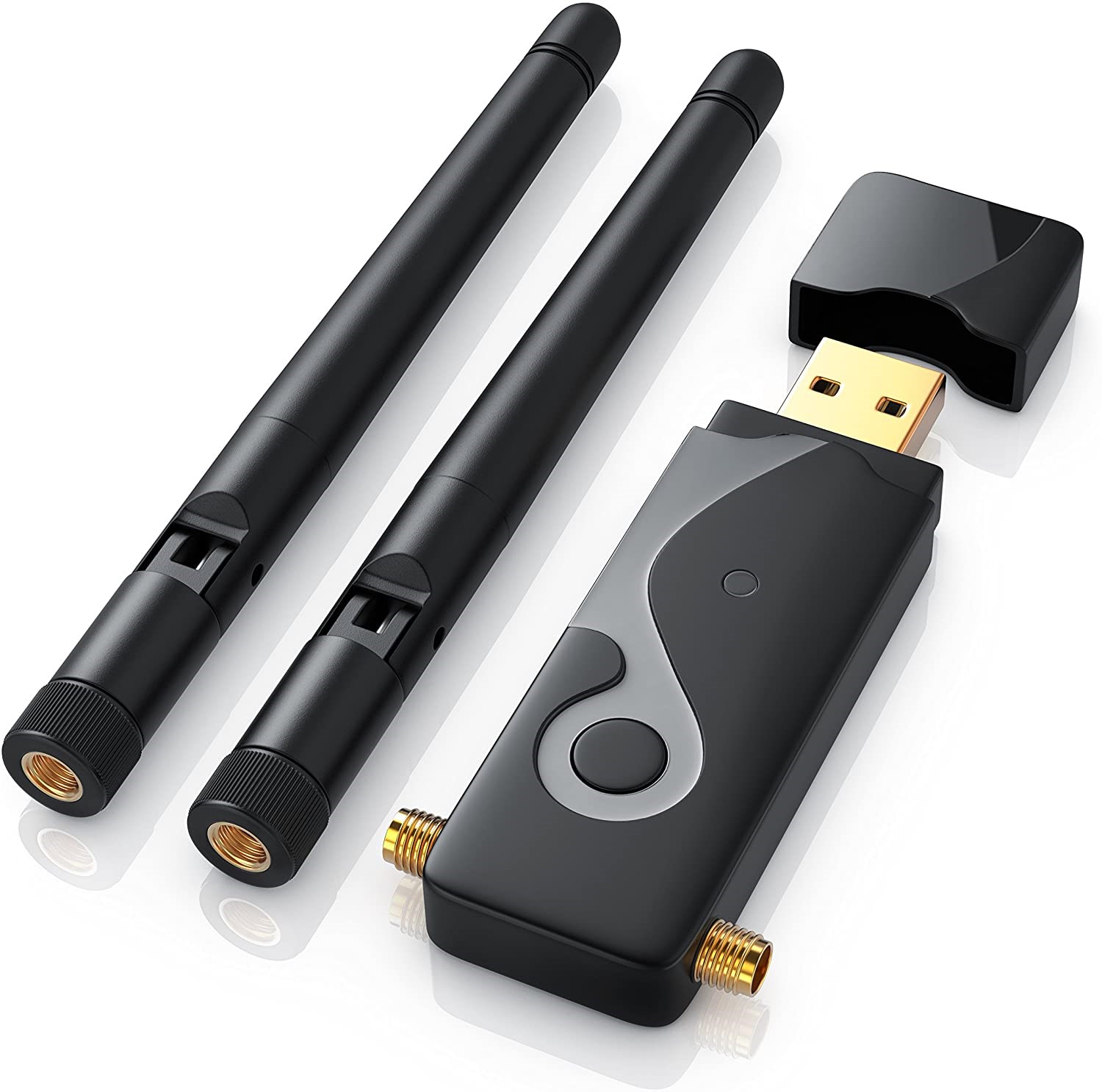
This hardware is based on a Chipsatz: Ralink RT5572, is Dual Freq. 2.4 and 5 GHz and has RP-SMA Antenna Connectors. The standard Linux Kernel Driver has a built-in Monitor Mode, which is needed to retrieve all Wi-Fi Traffic. When using another Wi-Fi Stick/Module, make sure you have a Driver with Monitor Mode available.
Laptop Internal M.2 or mPCIe Card
For use with an INTEL-based card, such as:
– AC 9260 for up to 802.11 AC – AX200 for up to 802.11 AX
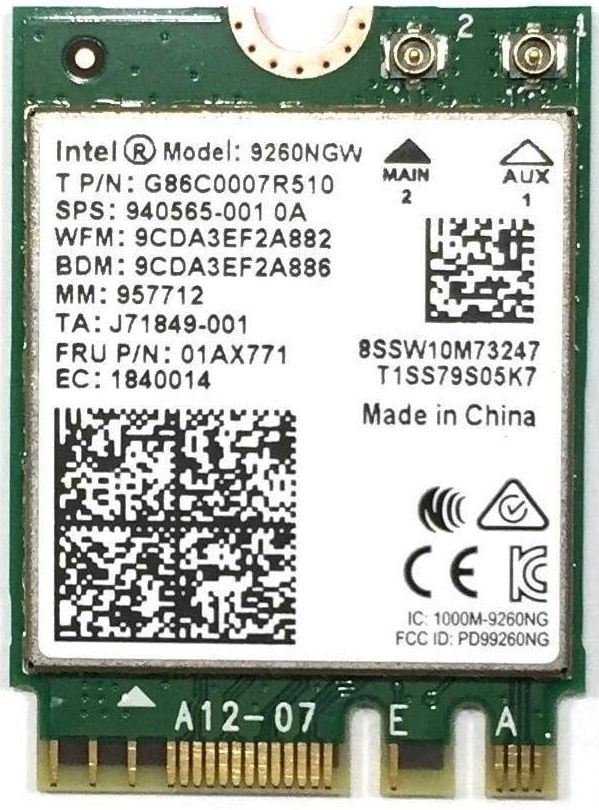
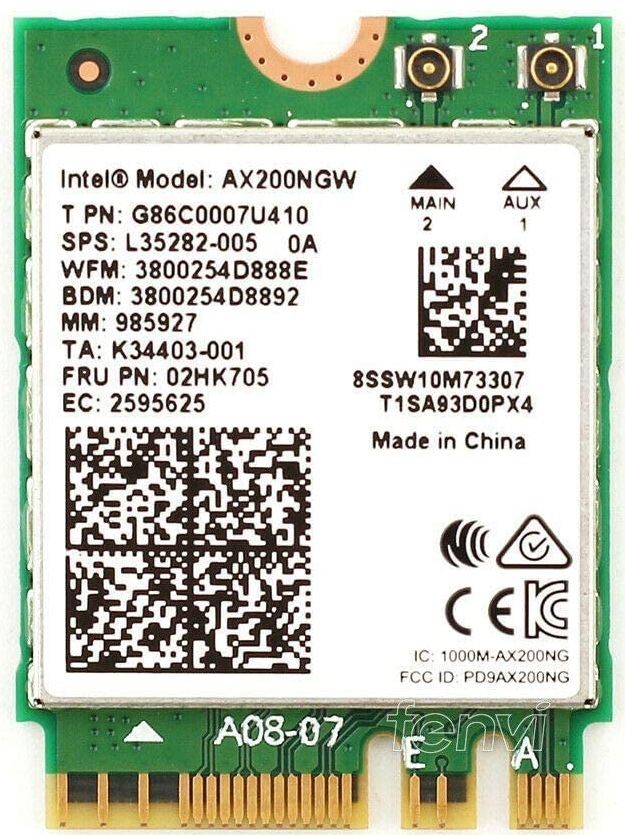
These modules are well-supported by the Linux Kernel drivers with activated Monitor Mode. It may be a bit tricky to get the Antenna cable + R-SMA Connector out, but these modules are an excellent choice.
Software
Lantronix provides a script to automatically set up and configure the Wi-Fi hardware driver, the Linux Network Subsystem and Wireshark with all the necessary parameters.
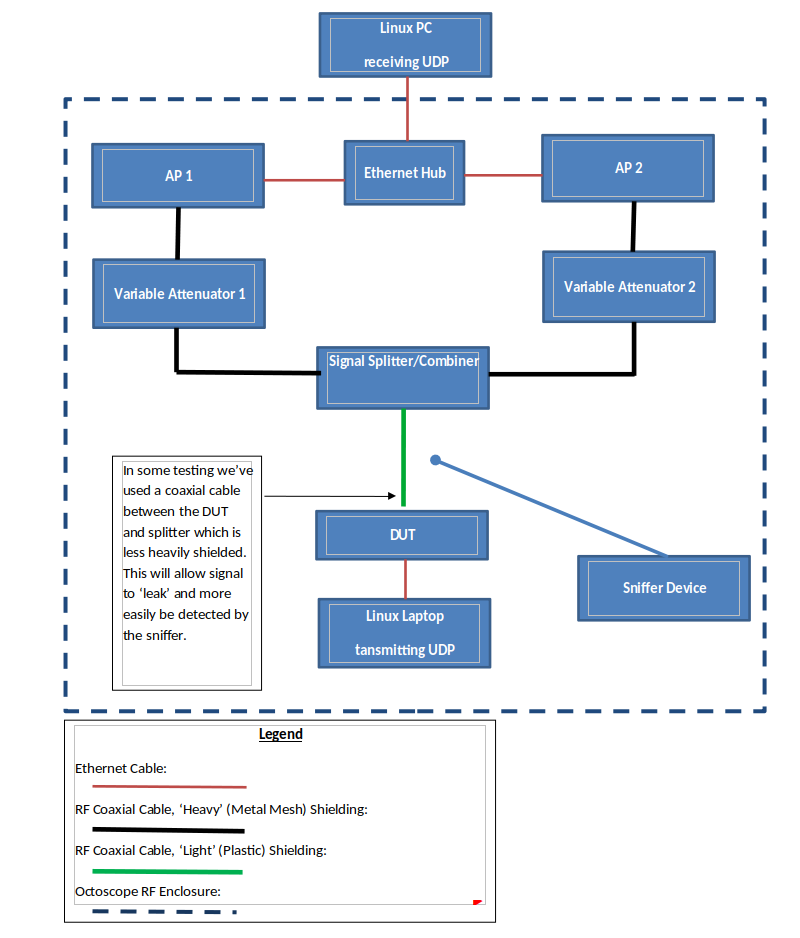
Test Setup
Roaming settings:
Generate Data Traffic
iperf -c<IP of Receiver> -u -b<data rate in Mbit/s>M -i1 -t<how long in s>
iperf -c192.168.1.2 -u -b1M -i1 -t900
Notes
wlxdc4ef4086948 IEEE 802.11 ESSID:off/any
Mode:Managed Access Point: Not-Associated Tx-Power=20 dBm
Retry short long limit:2 RTS thr:off Fragment thr:off
Power Management:off
wlp3s0 IEEE 802.11 ESSID:”FALINT”
Mode:Managed Frequency:2.422 GHz Access Point: 18:A6:F7:F4:D2:48
Bit Rate=300 Mb/s Tx-Power=22 dBm
Retry short limit:7 RTS thr:off Fragment thr:off
Power Management:on
phy#2
Interface wlxdc4ef4086948
ifindex 8
wdev 0x200000001
addr dc:4e:f4:08:69:48
type managed
txpower 20.00 dBm
phy#0
Interface wlp3s0
ifindex 3
addr 7c:5c:f8:e4:5d:e6
type P2P-device
txpower 0.00 dBm
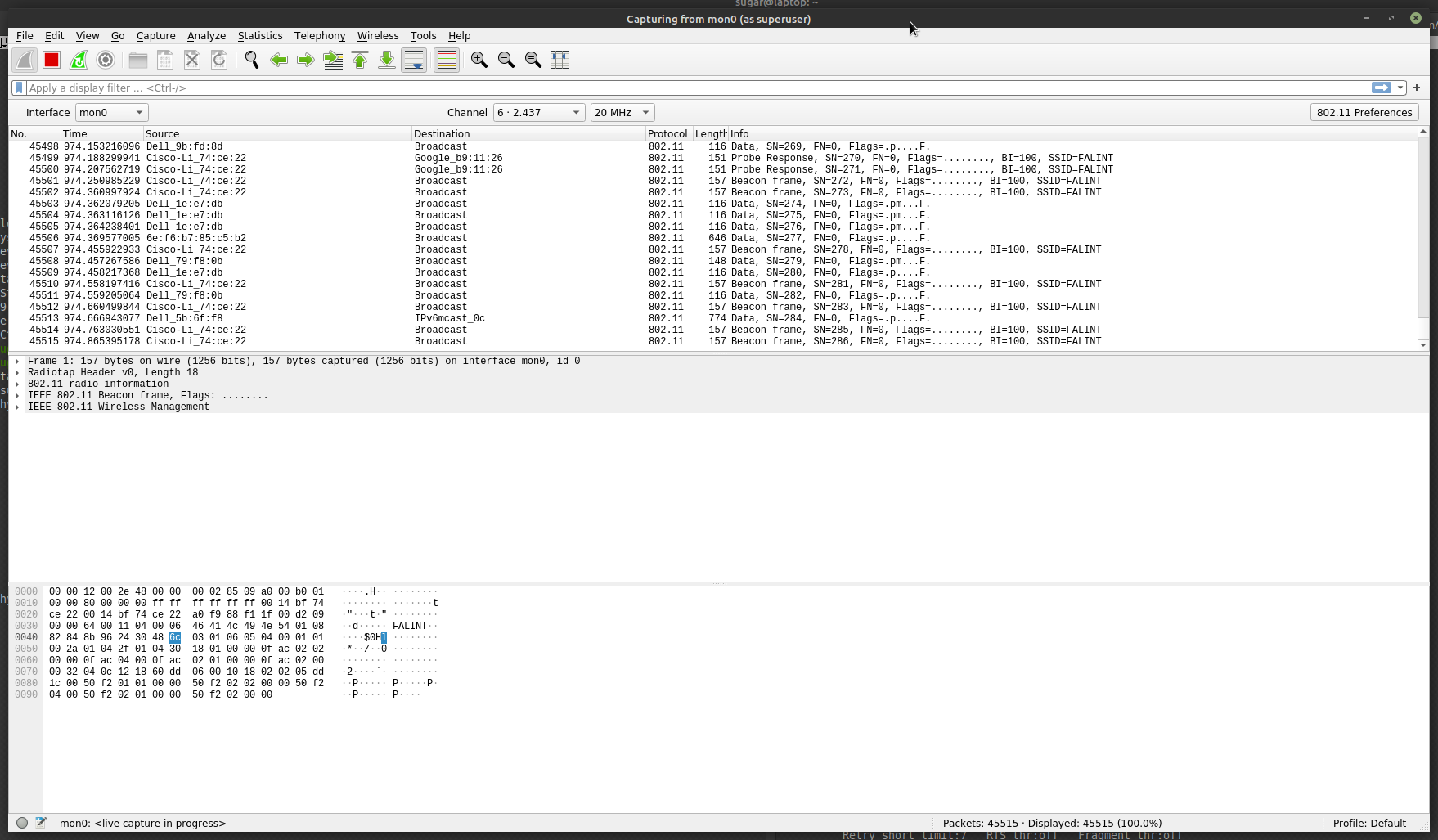
The Wi-Fi packages should show in the View like this:
Procedure of Full Valid Analyze
1. Set up both AP on:
2. Set up the Client device:
3. Set up the Sniffer analyzer:
4. Set up both variable Attenuator:
8845 100.120437221 192.168.222.59 192.168.222.255 UDP 186 5448 → 1027 Len=92
By Eric Johnson | Director, Compute Ecosystem, Lantronix Why Combining Flight Control and AI Computing Changes…
GB300 Rack Console Connection Requirements Here’s a port map for both DGX and ODM builds, and how to turn thos…
Built for how enterprise networks work today.
Lantronix Centralized Management Software