














LMOS 6.8: Practical Updates for Enterprise Out-of-Band Management
Lantronix LMOS 6.8 is now available for the LM-Series Console Servers and Lantronix Control Center. This relea…

Built for how enterprise networks work today.
Lantronix Centralized Management Software

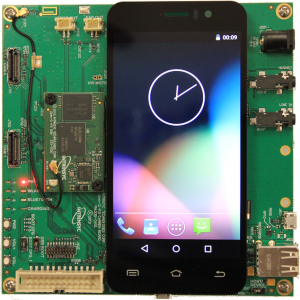
Running Android out of the box is great, but what if you need the capabilities of a full desktop OS? This is where Debian comes in. The Linaro Linux release 15.11 is a Debian-based Linaro Build that provides developers with a desktop like environment using Debian and the LXDE desktop, as well as a console-only image.
WARNING: Installing Debian is a one-way process. After flashing the Debian image, you will not be able to flash the Android image back into eMMC. Your board will remain as a Debian image, unless you generate and use an SD card-based Android bootable image to flash Android back into your board.
Download the SD card image
lsblk – This command will list all mounted devices, search for a sd* drive that matches the size of your SD card
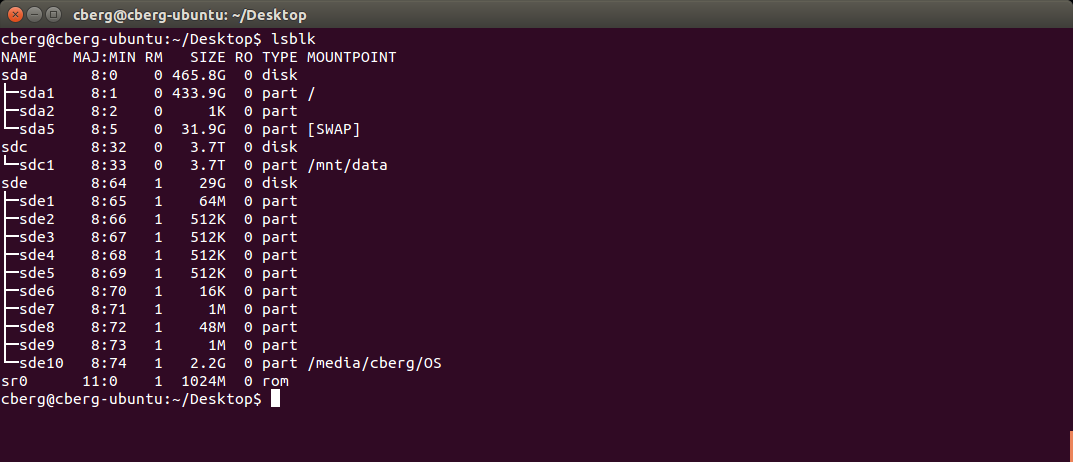
Open terminal and run the following commands
NOTE: sdX is the /dev drive that matches the size of your SD card
NOTE: dd runs without output until completion, takes approx 3-5 minutes
WARNING: Make sure you are using the correct /dev/sdX device which corresponds to your SD card! If you chose a device corresponding to your PC’s hard disk, it would corrupt your PC’s drive.
Once dd completes, your SD card is ready to be used with the Open-Q 410 board
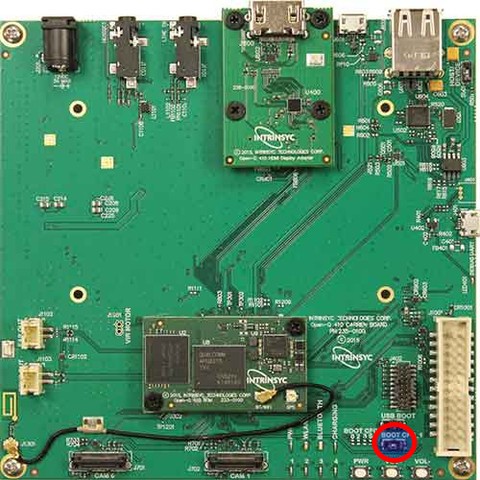
One the SD card has been imaged eject it from the computer and plug it into the Open-Q 410 Carrier. To get the board to boot from the SD card switch the BOOT CFG_1 to on.
Plug the display, mouse and finally power supply into the board and boot it up. You should see one of the LED’s blinking. Soon the installations screen will appear.
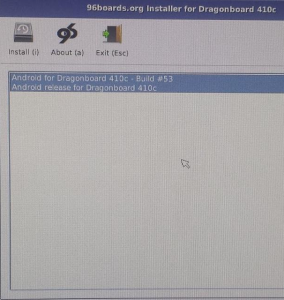
Press the install button to start the installation. Once it finishes unplug the SD card and reset the BOOT CFG_1 switch to off. Now reboot the board. You should be greeted by the Lubuntu login screen. To login use the default username and password which are both ‘linaro’.
Installing Debian Using Fastboot
WARNING: Installing Debian is a one-way process. After flashing the Debian image, you will not be able to flash the Android image back into eMMC. Your board will remain as a Debian image, unless you generate and use an SD card-based Android bootable image to flash Android back into your board.Installing Debian is a one-way process.
The bootloader on this board supports fastboot. First make sure that fastboot is installed on the host PC. On your host Ubuntu/Debian machine, use the following command to install fastboot:
sudo apt-get install android-tools-fastboot
Note: The Open-Q 410 must have been imaged with fastboot previously.
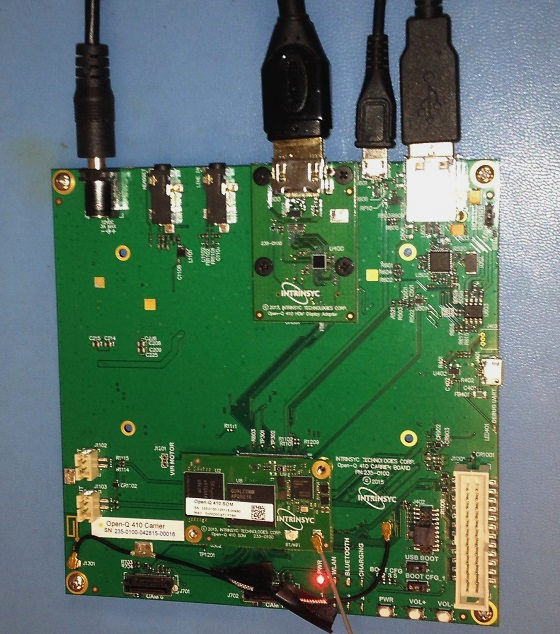
Check to make sure fastboot device is connected:
Open terminal and run the following command:
Fastboot should reply with a device ID. If there is no returned device ID see troubleshooting at end of document.
The bootloader is now installed.
Open a terminal and run the following commands:
Note: the username and password are both “linaro” when the login information is requested.
The DB410 can be forced into fastboot mode by holding down the S4 button (Vol -) during powerup.Should the above install fail or corrupt, it is possible to reflash using fastboot in this mode.
See this for more troubleshooting and installation instructions.
Author
Chris Berg is a junior Embedded Software & Dev-Ops Engineer at Intrinsyc. He joined Intrinsyc’s engineering team in January 2016 and has experience with Snapdragon Flight and several of Intrinsyc’s Open-Q development kit platforms. Chris holds a Bachelor’s Degree in Electrical and Computer Engineering and a minor in Computer Science from the University of Victoria. He has experience in rapid prototyping of full end-to-end solutions including hardware, software, embedded systems, and interface design.
Lantronix LMOS 6.8 is now available for the LM-Series Console Servers and Lantronix Control Center. This relea…
Reconciling network management strategies with business needs involves balancing uptime service level requirem…
Built for how enterprise networks work today.
Lantronix Centralized Management Software